Cloud Computing Explained for Beginners: Types, Benefits, and Examples
Learn what cloud computing is, how it works, and how IaaS, PaaS, and SaaS differ. Explore real-world examples, benefits, risks, and beginner-friendly tips.

Cloud computing is one of the technologies behind many of the digital services people use every day. When you store photos online, collaborate on a document through a browser, stream a video, or use an online application, cloud infrastructure may be working behind the scenes.
You do not need to own a data center or understand advanced networking to benefit from it. Cloud computing lets individuals, students, developers, and businesses use computing resources over the internet without managing every part of the underlying hardware themselves.
In this guide, you will learn what cloud computing means, how it works, the main service and deployment models, its benefits and limitations, and how to get started.
What Is Cloud Computing?
Cloud computing is the delivery of computing resources and services over a network, usually the internet. These resources can include servers, storage, databases, networking, software, analytics, and processing power.
Instead of purchasing and maintaining every server or storage device yourself, you can use resources provided by a cloud service provider. Depending on the service, you may access them through a web browser, an application, a command-line tool, or an API.
For example, imagine you need to store a collection of documents. You could keep them only on your computer, buy a separate storage device, or use an online storage service. With the online option, the provider manages the underlying infrastructure while you access your files through an internet connection.
Cloud computing is more than simply storing files online. It can also provide the servers that run websites, the databases that support applications, and the computing power used for large workloads.
How Does Cloud Computing Work?
Cloud services run on physical infrastructure housed in data centers. These facilities contain servers, storage systems, networking equipment, power systems, and cooling equipment.
Cloud providers use technologies such as virtualization and automated resource management to make computing capacity available to customers. The provider operates the underlying facilities, while customers access and manage the resources included in their chosen service.
A simplified process looks like this:
- You request a service. You open an application, upload a file, or create a cloud resource through a management console.
- The request reaches the provider. Your device communicates with the service over a network.
- Cloud infrastructure processes the request. The service may retrieve a file, execute application code, store information, or perform a calculation.
- The result returns to you. You see the requested information or use the resulting service.
For example, when you visit a website hosted in the cloud, your browser sends a request to a server. That server processes the request and sends back the page or data your browser needs.
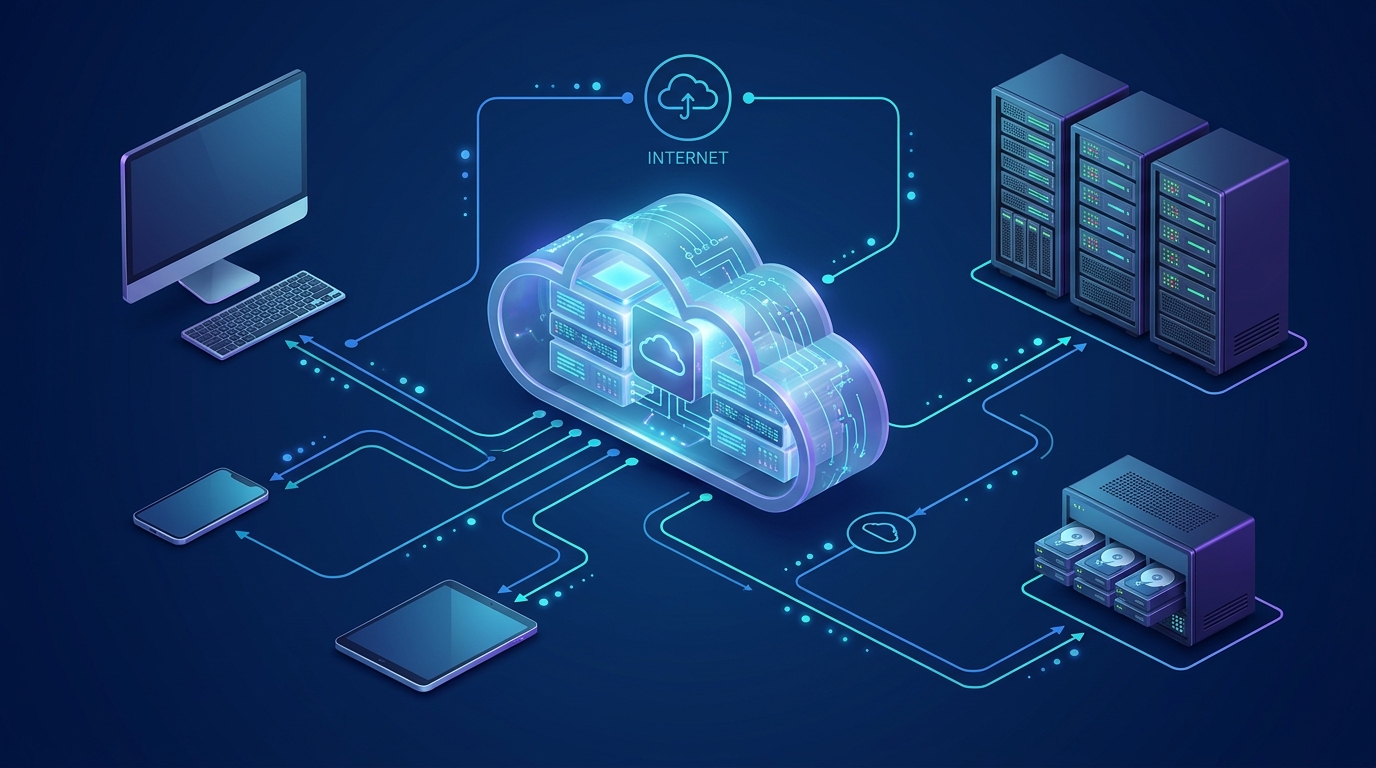
Cloud architecture can connect computing resources, storage, applications, and users through network services.
The exact architecture depends on the provider and application. Not every cloud service works in the same way, and cloud resources may be distributed across multiple servers or locations.
The Three Main Cloud Service Models
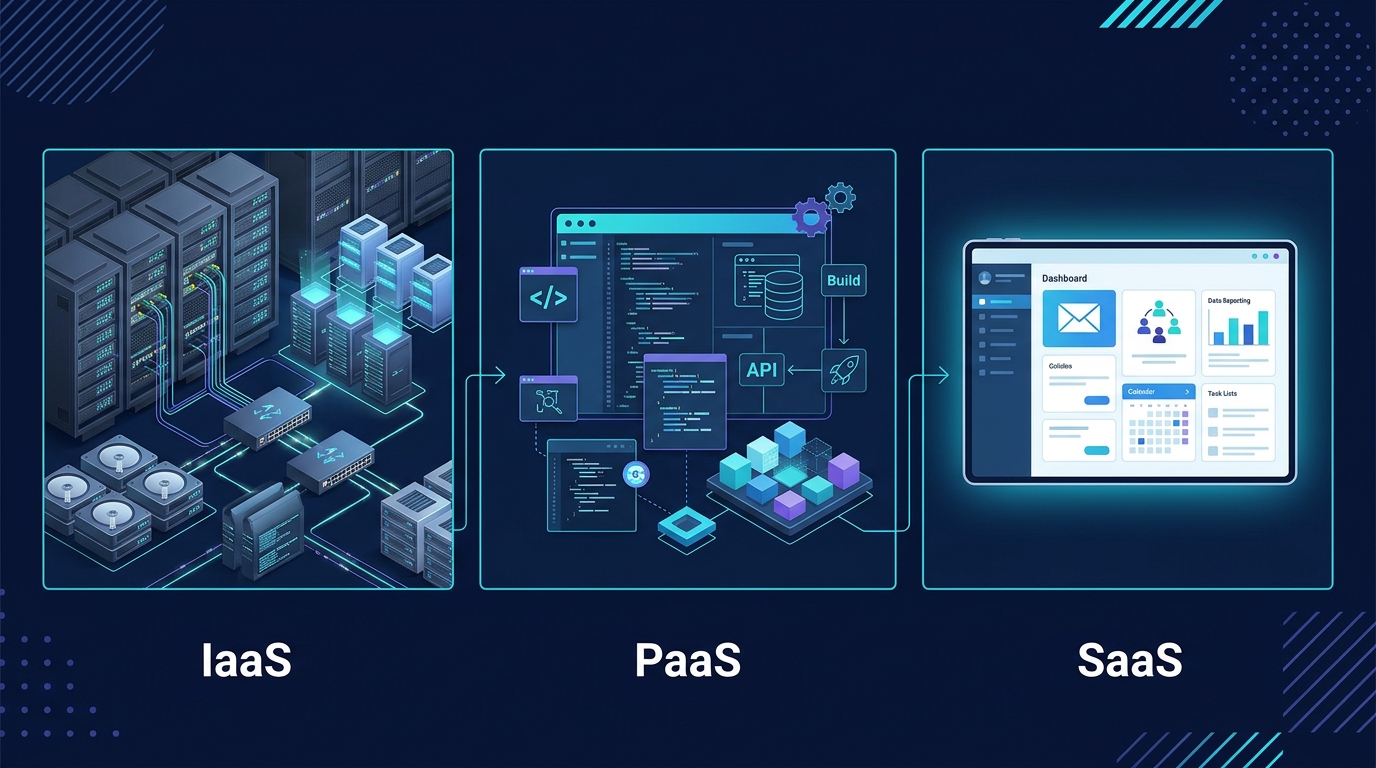
Cloud services are commonly grouped into three models: Infrastructure as a Service (IaaS), Platform as a Service (PaaS), and Software as a Service (SaaS).
These models differ mainly in how much of the technology stack you manage yourself and how much the provider manages for you.
1. Infrastructure as a Service (IaaS)
IaaS provides fundamental computing resources such as virtual machines, storage, and networking.
You can create a virtual server without buying a physical machine. You typically manage the operating system, installed software, application configuration, and many security settings, while the provider manages the underlying physical infrastructure.
Example: A developer creates a virtual machine to host a website, installs the required software, configures the firewall, and deploys the application.
Best suited for: IT teams and developers who need control over server environments without purchasing physical hardware.
2. Platform as a Service (PaaS)
PaaS provides a managed environment for building, deploying, and running applications. The provider handles more of the underlying infrastructure and platform maintenance, allowing developers to focus on application code.
Example: A developer deploys a web application to a managed application platform rather than manually configuring and maintaining a virtual machine.
Best suited for: Development teams that want to spend more time building applications and less time managing operating systems and runtime infrastructure.
The exact responsibilities vary between platforms, so always check which components the service manages.
3. Software as a Service (SaaS)
SaaS delivers a ready-to-use application over the internet. Users typically access it through a browser or an installed client without managing the application’s underlying servers.
Example: A person uses a web-based email service or an online document editor.
Best suited for: Individuals and organizations that need software without operating the infrastructure that runs it.
IaaS vs PaaS vs SaaS
| Feature | IaaS | PaaS | SaaS |
|---|---|---|---|
| Main offering | Computing infrastructure | Application platform | Ready-to-use software |
| User manages | OS, applications, configuration | Application code and data, depending on the service | Application usage and user settings |
| Provider manages | Physical infrastructure | Infrastructure and much of the platform | Infrastructure, platform, and application operations |
| Typical user | IT teams and system administrators | Application developers | End users and businesses |
| Example use | Hosting a virtual server | Deploying an application to a managed platform | Using online email |
The boundaries are not identical across every provider. A service may include additional managed features, so use its documentation to understand the actual division of responsibilities.
Cloud Deployment Models
Service models describe what a cloud service provides. Deployment models describe how the cloud environment is organized and made available.
Public Cloud
A public cloud is provided by an external cloud provider. Customers use services from the provider’s infrastructure, with resources allocated and isolated according to the service’s design.
Public cloud services are commonly used for websites, application hosting, backups, development environments, and business systems.
Main advantage: You can access a wide range of services without building your own data center.
Consideration: You must understand the provider’s pricing, security controls, service limits, and configuration requirements.
Private Cloud
A private cloud environment is dedicated to one organization. It may be operated by the organization itself or by a service provider.
Organizations may choose this model when they need particular levels of control, customization, or isolation. However, a private cloud still requires operational expertise and appropriate security management.
Hybrid Cloud
A hybrid cloud combines private infrastructure or a private cloud with public cloud services, connected in a way that allows workloads or data to work across the environments.
For example, an organization might retain a system in its own environment while using public cloud resources for additional application capacity or selected services.
Hybrid cloud designs can be useful, but integrating environments introduces networking, identity, security, and operational complexity.
Real-World Examples of Cloud Computing
Cloud computing is not limited to large technology companies. It supports everyday activities and systems across many industries.
- File storage and sharing: Online storage services let users access and share files from multiple devices.
- Website hosting: Businesses can run websites and web applications on cloud servers or managed platforms.
- Online collaboration: Teams can edit documents, communicate, and manage shared work through internet-accessible applications.
- Application development: Developers can create test environments, deploy applications, and use managed databases.
- Data backup and recovery: Organizations can keep copies of important information in separate systems or locations, depending on the backup design.
- Media delivery: Streaming and content-delivery services use distributed infrastructure to deliver digital content to users.
- Data processing and AI: Cloud platforms can provide computing resources for analytics, machine learning, and other demanding workloads.
If you are learning technology, cloud services can also help you experiment with servers, networking, databases, and deployment workflows without purchasing a physical server.
For more foundational knowledge, read our guides on generative AI and essential computer skills.
Key Benefits of Cloud Computing
1. Flexible Resources
Cloud services can let you increase or decrease allocated resources as your requirements change. This can be useful when an application experiences changing traffic or when a temporary project needs additional computing power.
Scaling is not always automatic. It depends on the service, configuration, capacity, and cost limits you establish.
2. Lower Initial Hardware Investment
Using cloud infrastructure can reduce the need to purchase physical servers and supporting equipment before starting a project.
However, cloud computing is not automatically cheaper. Ongoing usage, storage, data transfer, support, and management can all contribute to the total cost.
3. Access from Different Locations
Many cloud applications are accessible from different devices and locations through the internet, subject to account permissions and connectivity.
This can support remote work, online learning, and collaboration across teams.
4. Managed Infrastructure
Depending on the service model, the provider may maintain physical hardware, replace failed equipment, or manage parts of the operating environment.
This can reduce some operational work, but it does not remove every responsibility for security, backups, application reliability, or access control.
5. Faster Experimentation
Cloud resources can often be provisioned on demand. Developers and learners can test ideas, build temporary environments, and remove resources when they are no longer needed.
This makes cloud platforms useful for practice, prototypes, and software development.
Limitations and Risks to Understand
Cloud computing has real advantages, but it also introduces responsibilities and trade-offs.
Internet and Service Availability
Many cloud services require network connectivity. An internet outage, provider incident, or application problem can interrupt access.
For important systems, organizations may need monitoring, backup connectivity, recovery procedures, and a plan for provider outages.
Security and Privacy
Cloud providers offer security features, but customers must configure and use them correctly. Weak passwords, exposed storage, excessive permissions, vulnerable applications, or leaked credentials can still create serious risks.
Use multifactor authentication where available, grant users only the access they need, protect credentials, and review access regularly.
Unexpected Costs
Cloud billing may depend on compute time, storage, network traffic, managed services, or other usage. Leaving resources running or selecting oversized services can increase costs.
Beginners should review pricing before deploying resources, set budgets and alerts where supported, and delete test resources when finished.
Provider Dependence
Applications built around a provider’s specific services may be difficult to move elsewhere. This is sometimes called vendor lock-in.
Portability requirements, data export options, application architecture, and migration costs are worth considering before making a long-term decision.
Shared Responsibility
Cloud security is a shared responsibility, but the division depends on the provider and service.
A provider may secure its physical data centers while a customer remains responsible for application permissions, data access, or operating-system updates. Managed services change this division, so understand the responsibilities for each service you use.
How to Get Started with Cloud Computing
You do not need to learn every cloud service at once. A small, structured learning plan is a better starting point.
- Learn the foundations. Understand basic networking, IP addresses, DNS, operating systems, storage, and virtualization.
- Choose one cloud provider. Start with one platform and learn its core terminology before jumping between providers.
- Explore the service categories. Learn the difference between virtual machines, object storage, managed databases, and application platforms.
- Practice with a small project. For example, deploy a basic static website or create a small test environment using a service that fits your budget.
- Secure your account. Use multifactor authentication, protect credentials, and follow the provider’s security guidance.
- Monitor costs and clean up. Check the pricing model before creating resources, set available budget alerts, and remove resources you no longer need.
- Document what you learn. Record the architecture, commands, configuration choices, and lessons from each project.
For a beginner, the goal is to understand the underlying concepts rather than memorize a long list of product names.
Frequently Asked Questions
Is cloud computing the same as the internet?
No. The internet is the network that connects systems around the world. Cloud computing is a way to deliver computing resources and services over a network. Cloud services often use the internet, but the two terms do not mean the same thing.
Do I need to be a programmer to use cloud computing?
No. Many cloud services, including online email, file storage, and collaboration tools, can be used without programming. Building and operating cloud-hosted applications may require programming, system administration, networking, or other technical skills.
Is cloud computing free?
Some providers offer limited free services, trials, or introductory credits. Availability, eligibility, limits, and pricing can change. Always read the current pricing and free-tier terms before creating resources, and remove resources you no longer need.
Is cloud computing safe?
It can be secure when the provider and customer apply appropriate controls. Safety depends on factors such as identity management, configuration, encryption, software updates, data handling, and the provider’s security practices. No service should be assumed secure simply because it is in the cloud.
What is the difference between cloud storage and cloud computing?
Cloud storage is a category of service for storing and retrieving data. Cloud computing is broader: it also includes processing power, virtual servers, databases, networking, application platforms, and software services. Storage is one part of the wider cloud ecosystem.
Which cloud service model should a beginner learn first?
It depends on your goal. Learn SaaS concepts to understand everyday cloud applications, IaaS if you want to understand servers and infrastructure, or PaaS if your main interest is application development. Understanding all three at a conceptual level is useful.
Final Thoughts
Cloud computing allows people and organizations to use computing resources without owning and maintaining every part of the underlying infrastructure. It supports everyday applications, websites, development environments, storage, and many business systems.
Start by understanding the difference between IaaS, PaaS, and SaaS, then learn how public, private, and hybrid cloud environments differ. If you decide to practice with a real provider, pay attention to security, permissions, pricing, and cleanup from the beginning.
With a solid foundation and a few carefully chosen practice projects, cloud computing becomes much easier to understand.
Further Reading and References
For authoritative explanations and service documentation, consult these resources:
- NIST: The NIST Definition of Cloud Computing — a widely referenced definition and overview of cloud characteristics and service models.
- Amazon Web Services: What Is Cloud Computing? — an introduction to cloud concepts and common use cases.
- Microsoft Azure: What Is Cloud Computing? — an overview of cloud computing concepts and deployment options.
- Google Cloud: What Is Cloud Computing? — introductory material on cloud infrastructure and services.